![300x300 (1).png]](https://help.segmanta.com/hs-fs/hubfs/300x300%20(1).png?height=40&name=300x300%20(1).png)
💪 When to use it
-
With this integration, you can send survey responses, events, and user properties from Segmanta to Klaviyo to build segments and trigger automated flows.
🏠 Where it lives
-
Go to Configure and navigate to the Integrations tab.
🔨 How it works
-
Click + Add on the Klaviyo integration.
- Enter your Klaviyo Public API Key.
- You can find your Klaviyo Public API Key in your Klaviyo account settings under API keys.
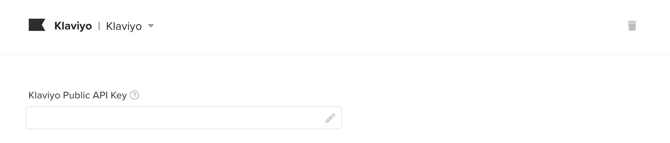
- You can find your Klaviyo Public API Key in your Klaviyo account settings under API keys.
- Toggle on the actions you want to act as triggers to send data to Klaviyo.
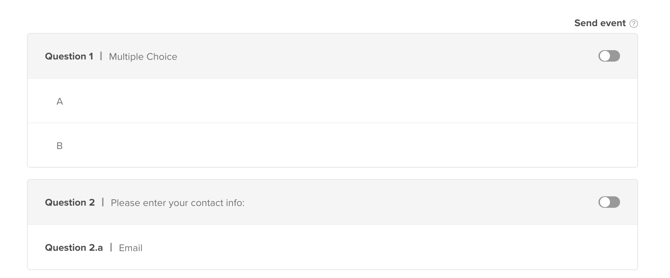
- Label the question pages or subjects and answers that you want sent to Klaviyo using the Key and Values as you want to define or map in Klaviyo.
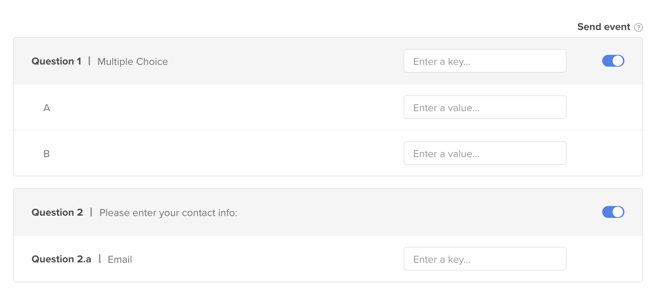
For the email field in the contact form, ensure the key is set to email so responses are automatically merged with the respondent’s email address. - You may also send additional static data.
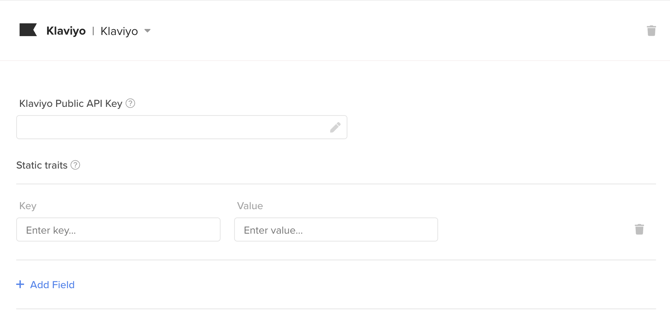
Pro-tip: Only events that are toggled on will be sent to Klaviyo. You will not be able to retroactively send previously collected data using this integration.
Note: If you add your Klaviyo Public API Key to a survey, you are responsible for the data collected by Klaviyo.